
Knowledge base (RAG)
Use Helmcode Chat with your own documentation. A knowledge base is a private, org-wide RAG source — your team uploads files (or syncs a Git repo) once, and anyone can attach it to a chat to get answers grounded in that content.
1. Create a knowledge base
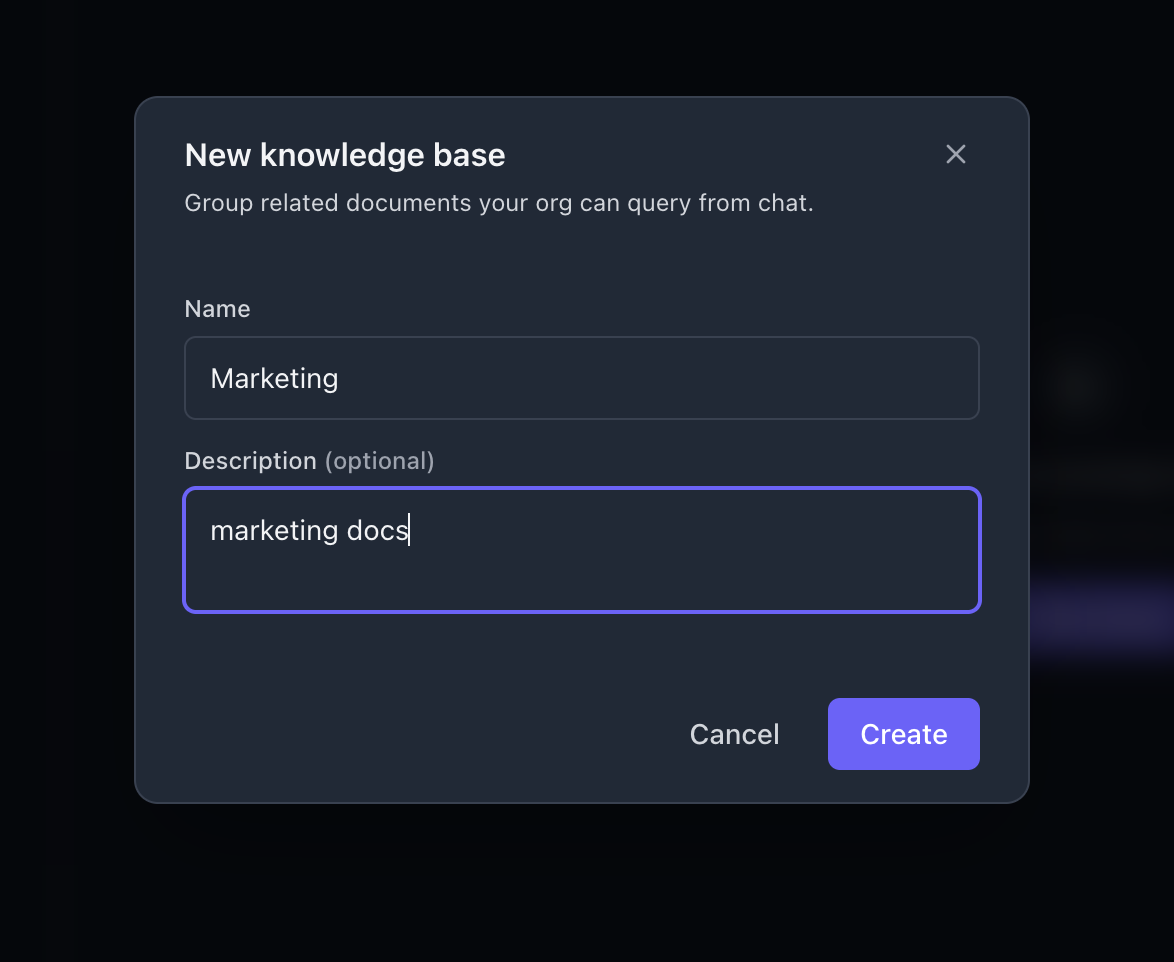
Go to knowledge → New base, give it a name and an optional description, then Create.
2. Add documents
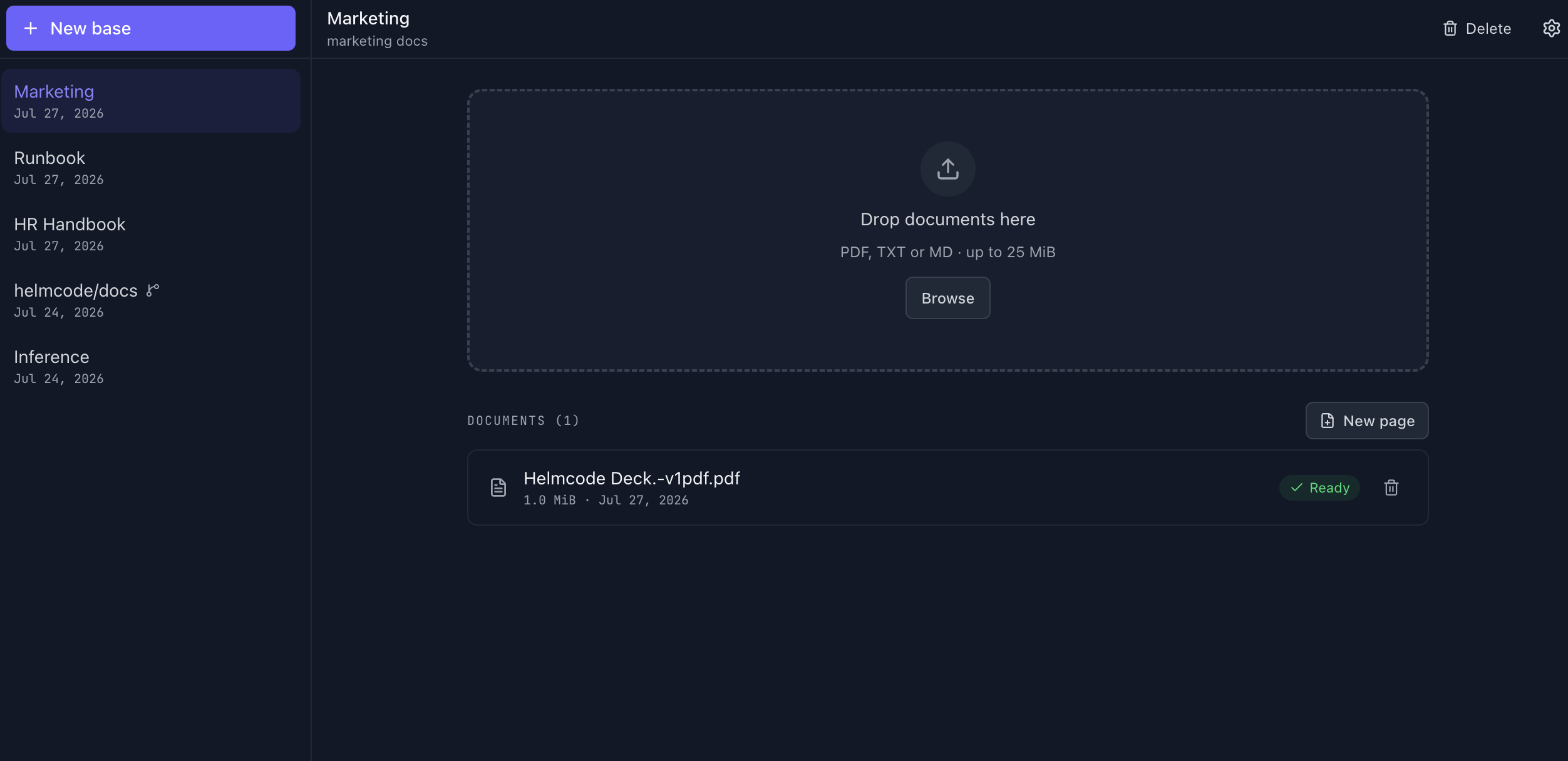
Open your new base and drop files onto the upload area, or click Browse. Supported formats: PDF, TXT, or MD, up to 25 MiB each. You can also click New page to write a document straight in the dashboard instead of uploading a file.
Each document shows its indexing status — wait until it turns Ready before querying it.
3. Use it in chat
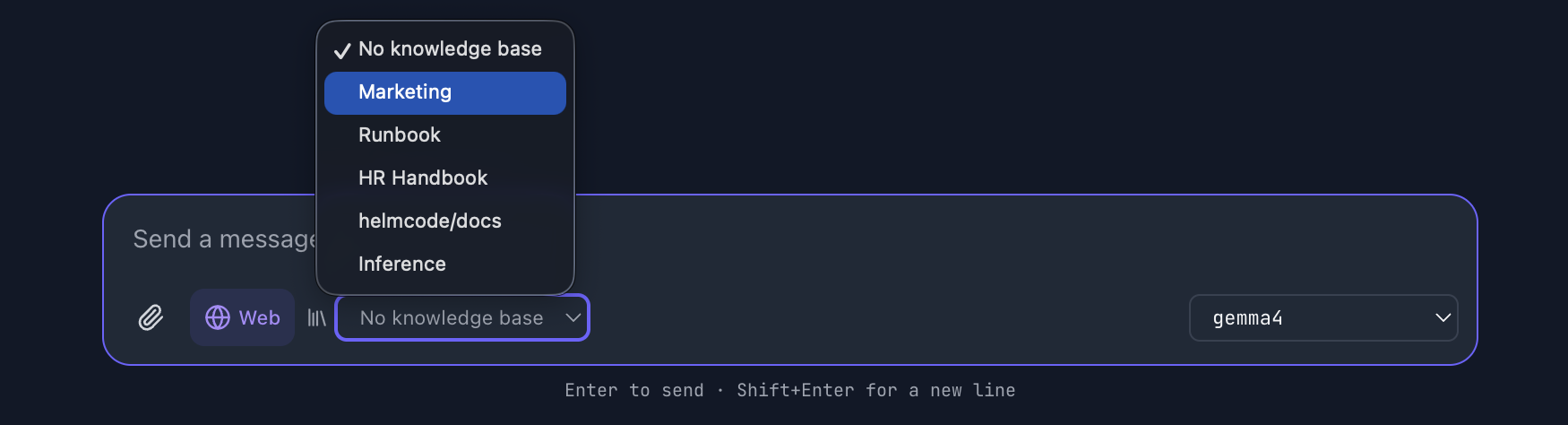
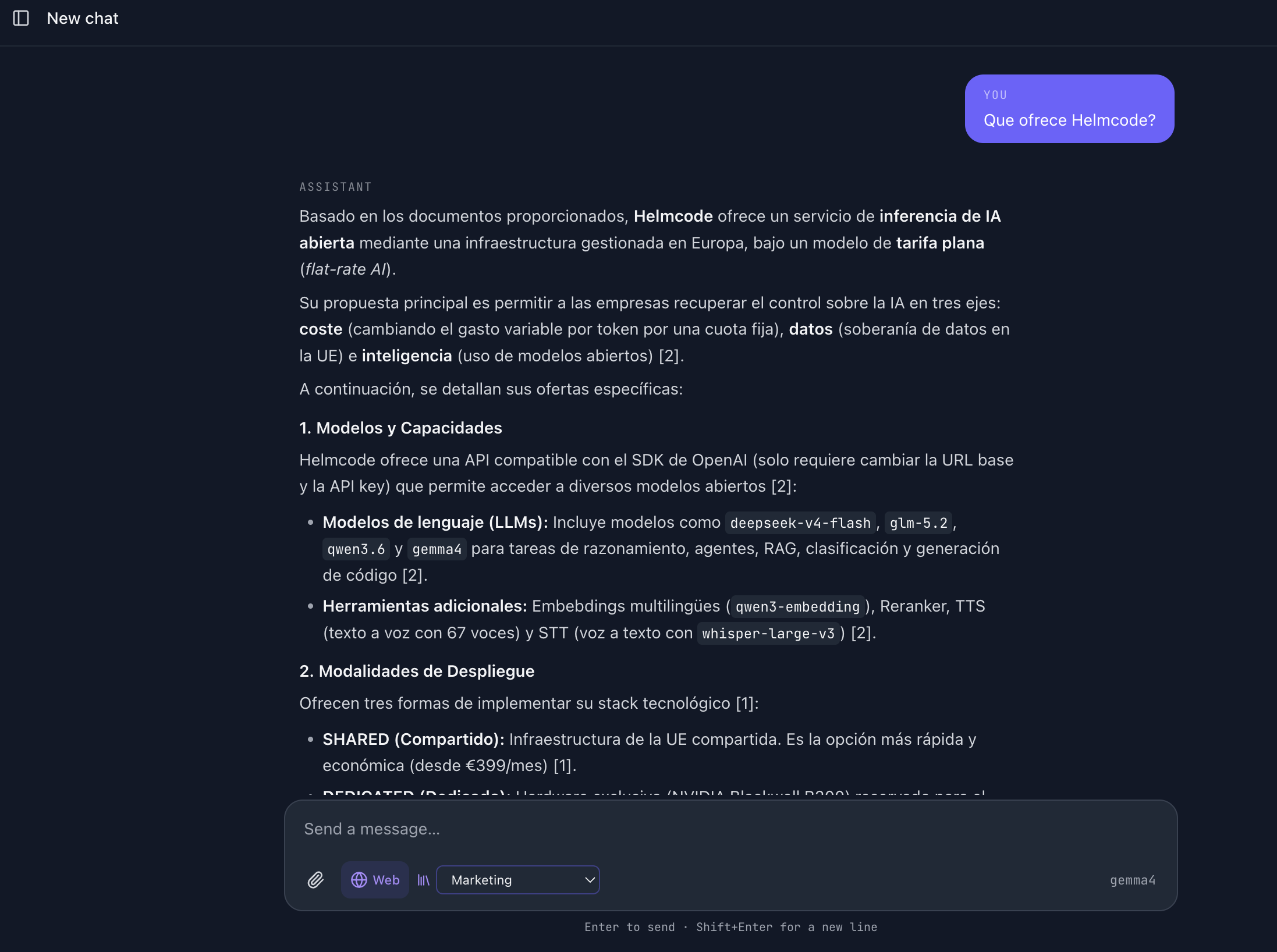
In the chat, open the knowledge base selector next to the model picker (it defaults to No knowledge base) and pick the one you just created. Every message you send from then on is answered using that base as context, with citations back to the source document.
4. Sync from GitHub or GitLab
Instead of uploading files by hand, you can point a knowledge base at a Git repository of markdown docs and keep it in sync automatically.
Create a personal access token
Create a PAT with read access to the repositories you want to sync — see GitHub’s guide on creating a personal access token (classic). GitLab works the same way with a project or group access token.
Connect the provider
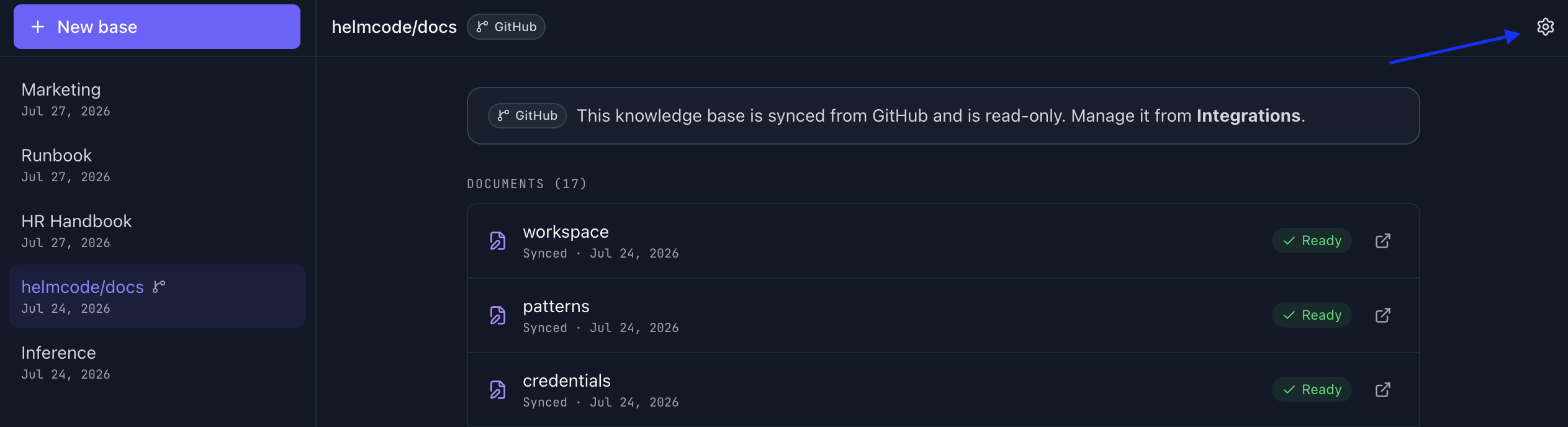
From knowledge, open the settings (gear icon) → Integrations:
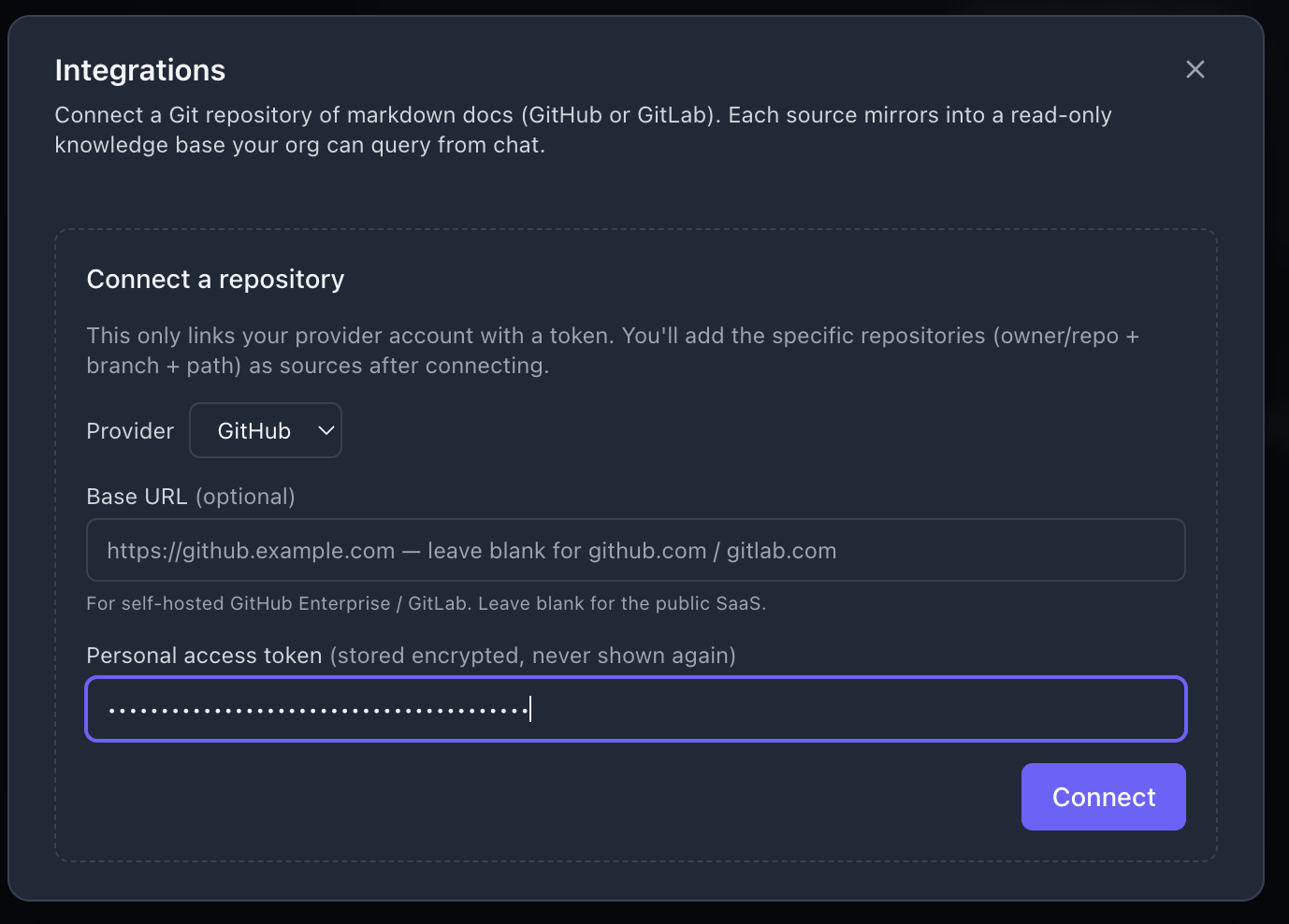
- Pick a Provider: GitHub or GitLab.
- Base URL — leave blank for the public SaaS (github.com / gitlab.com); set it only for a self-hosted GitHub Enterprise or GitLab instance.
- Paste your personal access token and click Connect. It’s stored encrypted and never shown again.
Add a repository source
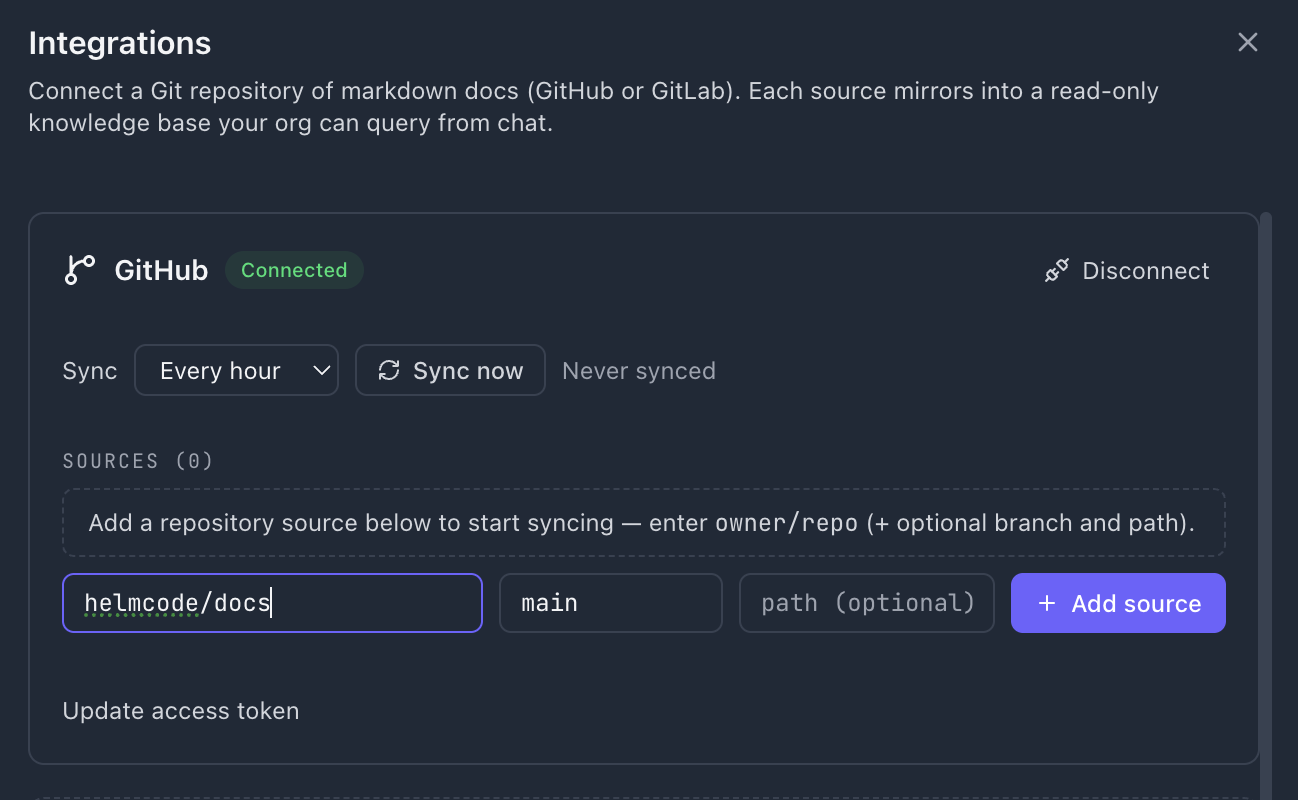
Once connected, add the repository to sync as owner/repo (e.g. helmcode/docs), with an optional branch (defaults to main) and an optional path to scope it to a subdirectory, then Add source. Choose a Sync frequency (e.g. every hour) or trigger Sync now for an immediate pull.
A new knowledge base named after the repository appears in the list, populated with every markdown file found in it.
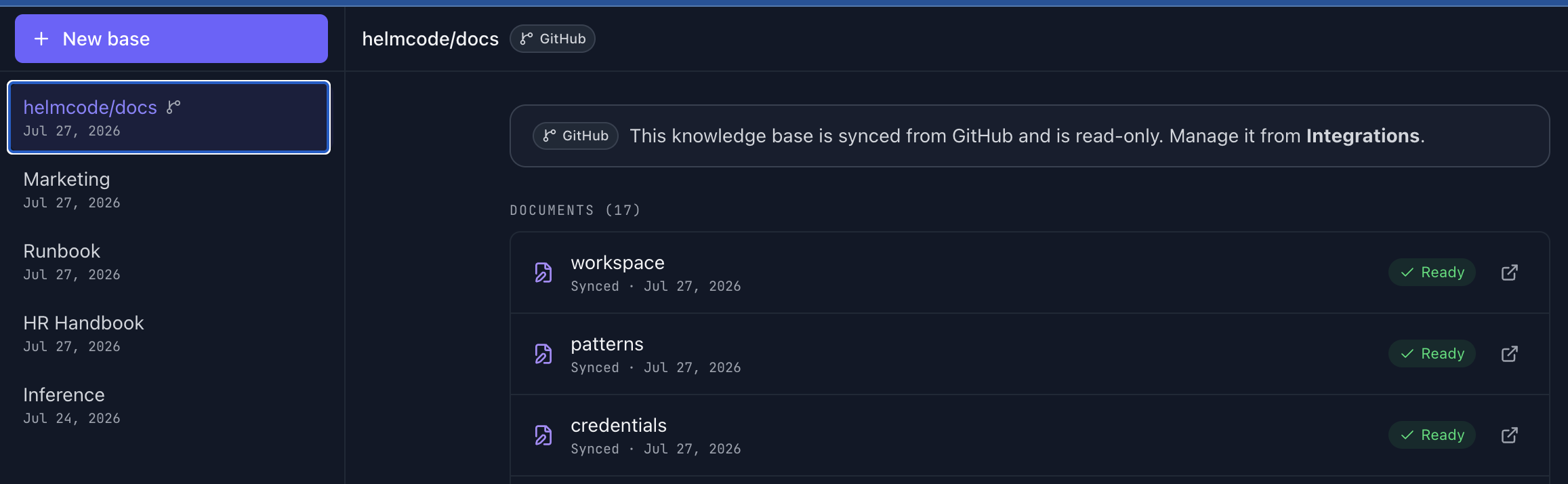
Git-synced knowledge bases are read-only from the Knowledge page — you can’t upload or delete individual documents there. Manage the source (branch, path, sync schedule, disconnect) from Integrations.
This makes it easy for everyone in the organization to query your company’s internal documentation — fast, secure, and using the same open models already available on your plan.